
On this page
TL;DRTable of ContentsHow to choose your first certificationThe best entry-level IT certifications for beginnersCompTIA A+: the standard first step for IT supportCompTIA Tech+: the gentlest on-rampCompTIA Network+: the networking stepCompTIA Security+: the entry point into cybersecurityMicrosoft Azure Fundamentals (AZ-900): cloud basicsAWS Certified Cloud Practitioner: the Amazon equivalentGoogle IT Support Professional Certificate: the course routeComparison: cost, format and validity at a glanceWhich path fits your goalWhat the exams actually testPerspective: why we push hands-on practice from the first weekPractice with SecLernA sample 90-day plan for A+Common beginner mistakesFAQWhat is the best entry-level IT certification?Do I need experience or a degree before these certifications?How long does it take to prepare for a beginner IT certification?Are there free ways to start?How long do entry-level certifications last?SourcesRecommendedIf you want one answer: start with CompTIA A+ if you are aiming at help desk or IT support, and pick a cloud fundamentals exam (Azure AZ-900 or AWS Cloud Practitioner) if cloud is the direction you already know you want. Networking and security certifications come next, once you have the basics. This guide shows which beginner certification fits which job path, what each exam involves, what it costs, how long it stays valid and how to prepare with hands-on practice.
TL;DR
- IT support path: CompTIA A+ is widely treated as the flexible first step, covering hardware, operating systems, troubleshooting and customer support.
- Cloud path: Azure Fundamentals (AZ-900) and AWS Certified Cloud Practitioner are the foundational exams from the two big cloud vendors.
- No-exam option: the Google IT Support Professional Certificate costs $49 a month in the US and Canada and has no separate proctored exam.
- Networking and security: Network+ and then Security+ are the natural second and third steps after A+.
- Preparation: practice in a simulated environment, not just with videos, because modern exams include performance-based questions.
Table of Contents
- How to choose your first certification
- The best entry-level IT certifications for beginners
- Comparison: cost, format and validity at a glance
- Which path fits your goal
- What the exams actually test
- Perspective: why we push hands-on practice from the first week
- Practice with SecLern
- A sample 90-day plan for A+
- Common beginner mistakes
- FAQ
- Sources
How to choose your first certification
A first certification should do one job: get you through a hiring filter for the role you want. So choose by destination, not by popularity.
Ask three questions:
- What job title do you want in the next 12 months? Help desk, desktop support and field technician roles lean toward A+. Cloud support or junior cloud roles lean toward Azure or AWS fundamentals.
- How do you learn best? If you need a structured, paced course with no exam day, a certificate program fits. If you prefer to study at your own pace and prove it on one exam, a vendor exam fits.
- What is your budget and timeline? Exam fees, study materials and renewal all add up. The comparison table below puts the verified figures in one place.
One caution on prerequisites. Most entry-level exams list recommended experience rather than hard requirements, and those recommendations change when an exam version is updated. Read the exam objectives and the current exam page on the vendor's own site before you book. Do not rely on a blog post, including this one, for the current rules.
The best entry-level IT certifications for beginners
CompTIA A+: the standard first step for IT support
A+ is the certification most guides name first for beginners. A Grand Canyon University guide describes it as a flexible starting point for foundational IT skills, covering hardware, operating systems, troubleshooting and customer support. Those are the daily tasks of a help desk or desktop support technician.
The A+ program is split into two exams, Core 1 and Core 2. Core 1 (220-1201) leans toward hardware, mobile devices, networking basics and troubleshooting. Core 2 (220-1202) leans toward operating systems, security, software troubleshooting and operational procedures. You can try free questions on our A+ 220-1201 practice test and A+ 220-1202 practice test, or read the full exam guides for Core 1 and Core 2.
Validity and renewal: A+ is valid for 3 years. According to Big Dog Cert, it can be renewed with 20 continuing education units and a $75 CE fee, or by passing a higher CompTIA certification such as Network+ or Security+. That means the path you were going to take anyway also keeps your first certification alive.
CompTIA Tech+: the gentlest on-ramp
Several of the top-ranking guides put CompTIA Tech+ (the successor to ITF+) at the very beginning of the ladder, for people who have never worked in IT or who are still deciding. It covers broad technology literacy rather than job-ready support skills. If you are a career changer with no technical background and want to test your interest cheaply before committing to A+, it is a reasonable first move. If you already know you want IT support, you can usually go straight to A+.
CompTIA Network+: the networking step
Network+ builds on the networking basics you meet in A+ and goes much deeper: IP addressing, switching and routing, troubleshooting connectivity and network security basics. It suits aspiring network technicians, NOC staff and anyone who wants to move from support toward infrastructure. It is also one of the certifications that can renew A+, as noted above. Our Network+ N10-009 exam guide and practice covers the objectives.
CompTIA Security+: the entry point into cybersecurity
Security+ is the usual first security credential. Beginners are often drawn to it right away, and Grand Canyon University quotes an academic who calls the CompTIA exams for A+, Network+ and Security+ a great first step that builds confidence and can be learned and practiced in a short time. Many learners do get there faster with A+ and Network+ knowledge behind them, because security topics assume you understand how systems and networks work. If cybersecurity is your goal, treat A+ then Network+ then Security+ as a sensible sequence, and look at CySA+ afterward for analyst-style work through our CySA+ CS0-004 guide.
Microsoft Azure Fundamentals (AZ-900): cloud basics
AZ-900 is Microsoft's foundational cloud exam. Microsoft's training page describes Azure Fundamentals as a six-part series on basic cloud concepts with an overview of Azure services and practical exercises to deploy first services at no cost. That makes it a good choice if your target employers run Microsoft environments. You can start with our AZ-900 study guide and practice in the AZ-900 browser labs. Our article on how to use an AZ-900 practice test explains how to turn practice scores into a study plan.
AWS Certified Cloud Practitioner: the Amazon equivalent
AWS lists Cloud Practitioner as its foundational certification validating knowledge of AWS cloud services and cloud computing. The exam (CLF-C02) is 90 minutes with 65 questions, costs 100 USD and is valid for 3 years, according to AWS. Renewal is possible by passing the latest version of the exam, passing an Associate-level or Professional-level exam, or completing AWS Cloud Quest: Recertify Cloud Practitioner. Check the AWS page for the current renewal options, since that program was in beta when the page was published.
If your longer-term goal is the AWS Solutions Architect Associate, Cloud Practitioner is a gentle way to learn the vocabulary first.
Google IT Support Professional Certificate: the course route
This one is a certificate program, not a proctored exam. Big Dog Cert reports that it costs $49 a month in the US and Canada after a seven-day free trial and takes 3 to 6 months to complete, with no separate proctored exam. That suits people who want a paced curriculum and a lower-pressure finish. The total cost depends on how fast you move, so a faster pace costs less. Employers also know CompTIA exams well, and many learners pair the two.
Comparison: cost, format and validity at a glance
| Certification | Best for | Format and cost (verified) | Validity |
|---|---|---|---|
| CompTIA A+ (two exams) | IT support, help desk | Two exams, Core 1 and Core 2; see CompTIA for current fees | 3 years; renew with 20 CEUs and a $75 CE fee, or a higher CompTIA cert |
| CompTIA Tech+ | Complete beginners, career changers | Single exam; see CompTIA for current fee | See CompTIA |
| CompTIA Network+ | Networking roles | Single exam; see CompTIA for current fee | See CompTIA |
| CompTIA Security+ | Entry-level security | Single exam; see CompTIA for current fee | See CompTIA |
| Azure Fundamentals (AZ-900) | Cloud basics on Microsoft | Single exam; free Microsoft learning exercises | See Microsoft |
| AWS Cloud Practitioner | Cloud basics on AWS | 90 minutes, 65 questions, 100 USD | 3 years |
| Google IT Support Professional Certificate | Structured course, no exam | $49 a month (US and Canada), 3 to 6 months | No proctored exam |
Exam fees and versions change. Confirm the price on the vendor's official page on the day you book, and look for voucher or student discounts there.
Which path fits your goal
Help desk or desktop support. A+ first. If you want a slower, guided start, the Google certificate is a fair alternative or companion. Add Network+ when you are comfortable.
Networking. A+ is helpful but not always necessary if you already have networking exposure. Go for Network+ and practice subnetting and troubleshooting until they feel automatic.
Cybersecurity. Build from A+ and Network+ to Security+. Security work rests on knowing how systems and networks behave when they are healthy.
Cloud. Take AZ-900 or Cloud Practitioner depending on the platform your local employers use. Search job postings in your area and count which one appears more.
Not sure yet. Tech+ or A+ gives you the widest exposure at the lowest risk.
What the exams actually test
The biggest surprise for beginners is that these exams are not only multiple choice. CompTIA exams include performance-based questions (PBQs), where you configure a setting, fix a broken scenario or arrange components in a simulated environment. Reading and watching videos will not prepare you for those. You have to do the tasks.
A practical way to prepare:
- Download the official exam objectives for your certification and treat them as your checklist.
- Learn each objective with one source, such as a course or a book, rather than collecting five.
- Practice the task, not the definition. For A+, that means working in a Windows and a Linux environment and following a troubleshooting process. For Network+, it means reading configurations and diagnosing connectivity.
- Take timed practice exams and review every wrong answer until you can explain why the right answer is right.
- Book the exam when your practice scores are consistently comfortable, not when you feel you have finished the material.
Perspective: why we push hands-on practice from the first week
We built SecLern around one belief: passing an IT exam should prove you can do the work, not that you can recall a list. That is why our platform pairs original practice questions with interactive labs in simulated Windows, Linux and Cisco environments, and with performance-based questions mapped to the published exam objectives.
Beginners often start with videos because they feel safe. Videos are a fine introduction, but the skills employers want show up when you have to complete a task yourself. Our labs and PBQs are graded on whether the task was actually completed, and you get immediate feedback and explanations, so each mistake turns into a lesson on the spot.
We also adapt study sessions to the gaps we see in your answers, so your time goes to the objectives you have not mastered yet. Our aim is simple: get you exam-ready on the objectives and comfortable with the real tasks behind them.
the author
Practice with SecLern
If you have picked a first certification, the fastest way to find out where you stand is to start practicing. SecLern has a free tier with limited access to key features, so you can try the format before you pay.
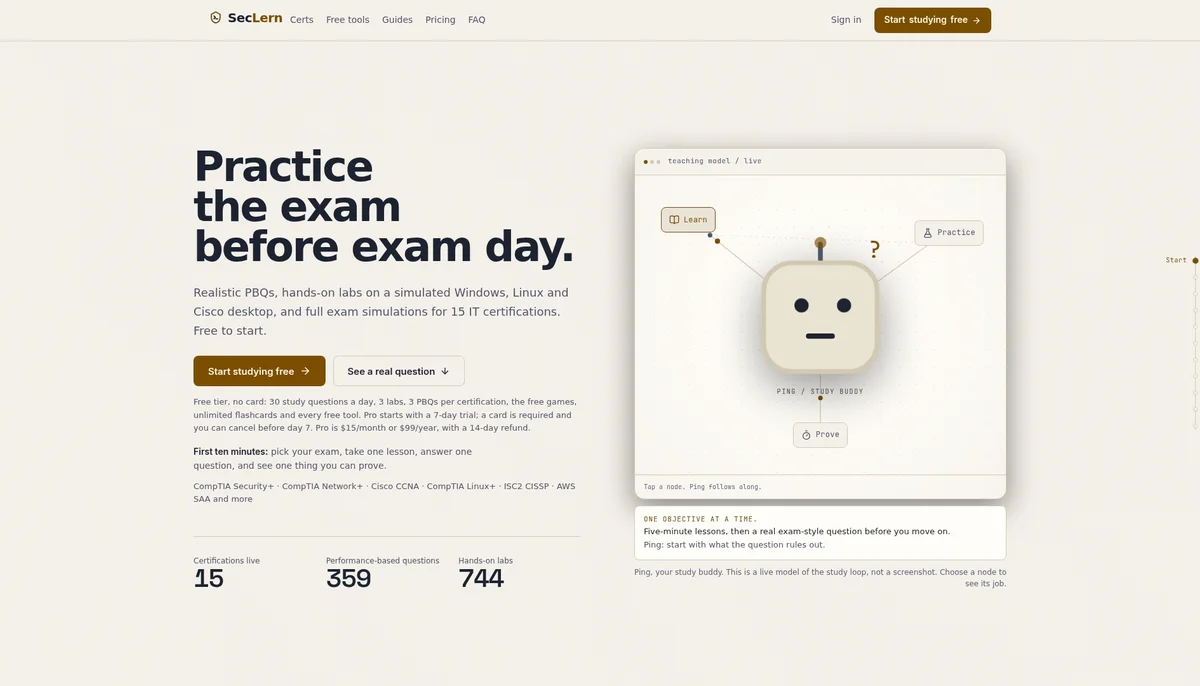
When you are ready for full access, the Pro plan is $15 per month or $99 per year. If you have an exam date in mind, Exam Sprint is a $29 one-off payment for 90 days of exam prep access. See the details on our pricing page, try the free PBQ examples, or browse hands-on labs for 15 certification exams. For A+ specifically, the 220-1201 labs and 220-1202 labs run in your browser.
A sample 90-day plan for A+
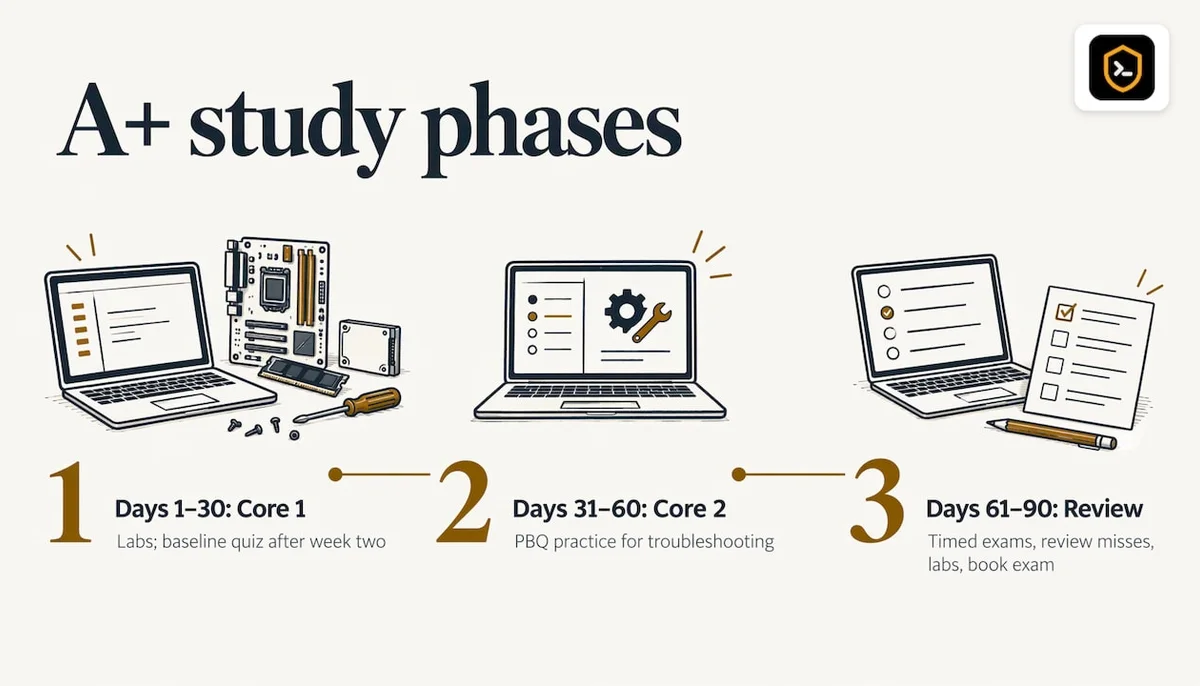
A 90-day window gives you a concrete schedule, and it matches how Exam Sprint access works. Adjust it to your hours per week.
Days 1 to 30: Core 1 foundations. Work through hardware, mobile devices and networking basics. Do short lab sessions several times a week, and take a first practice quiz at the end of week two to see your baseline.
Days 31 to 60: Core 2 and troubleshooting. Move to operating systems, security basics and operational procedures. Spend more time on PBQ-style tasks, since this is where beginners lose points.
Days 61 to 90: review and simulate. Take full timed practice exams, list the objectives you missed, and go back to labs for those areas only. Book your exam once you are consistently comfortable.
If you also plan a second certification, such as Network+, start it within a few weeks of passing A+ while the networking basics are fresh.
Common beginner mistakes
- Collecting certifications instead of building skills. One well-chosen certificate plus real practice beats three you barely remember.
- Skipping the exam objectives. The objectives list tells you exactly what can be tested.
- Memorizing question dumps. Copied question lists teach you answers without understanding, and they fall apart when the exam wording or tasks change.
- Ignoring renewal. Most of these certifications expire after 3 years. Plan to renew through continuing education or a higher certification.
- Waiting to feel ready. Use practice scores, not feelings, to decide when to book.
FAQ
What is the best entry-level IT certification?
For most people aiming at a first IT job, CompTIA A+ is the usual answer because it covers hardware, operating systems, troubleshooting and customer support. If you already know you want cloud work, Azure Fundamentals or AWS Cloud Practitioner is the better first step. Choose by the job you want, not by which name is most famous.
Do I need experience or a degree before these certifications?
Entry-level certifications are designed for people starting out, and recommended experience is generally a suggestion rather than a gate. Requirements can change with each exam version, so read the current exam page on the vendor's site before you book. A degree is not part of that check.
How long does it take to prepare for a beginner IT certification?
It depends on your background and weekly hours. The Google IT Support Professional Certificate is reported to take 3 to 6 months, and many learners plan a similar window for A+. A structured 90-day plan with labs and timed practice exams is a realistic target if you study consistently.
Are there free ways to start?
Yes. Microsoft offers Azure Fundamentals learning with practical exercises at no cost, and SecLern has a free tier with limited access to key features. You still pay exam fees when you sit a proctored exam, so check the vendor page for the current price.
How long do entry-level certifications last?
A+ and AWS Cloud Practitioner are each valid for 3 years. A+ can be renewed with continuing education units and a CE fee, or by passing a higher CompTIA exam. Cloud Practitioner can be renewed by passing the latest exam version or an Associate-level exam.
Sources
- Best Technology Certifications for Beginners: A Guide, Grand Canyon University
- AWS Certification, Amazon Web Services
- AWS Certified Cloud Practitioner, Amazon Web Services
- Google IT Certificate vs CompTIA A+: Which to Get First, Big Dog Cert
- Azure Cloud Skills: Trainings and Certifications, Microsoft